Room Vacant Sign: Auto Display from True Occupancy Detection
A room vacant sign that lights only when the room is truly vacant, not on a manual slide. This guide covers e-ink signs driven by an occupancy sensor and door.
The room vacant sign problem
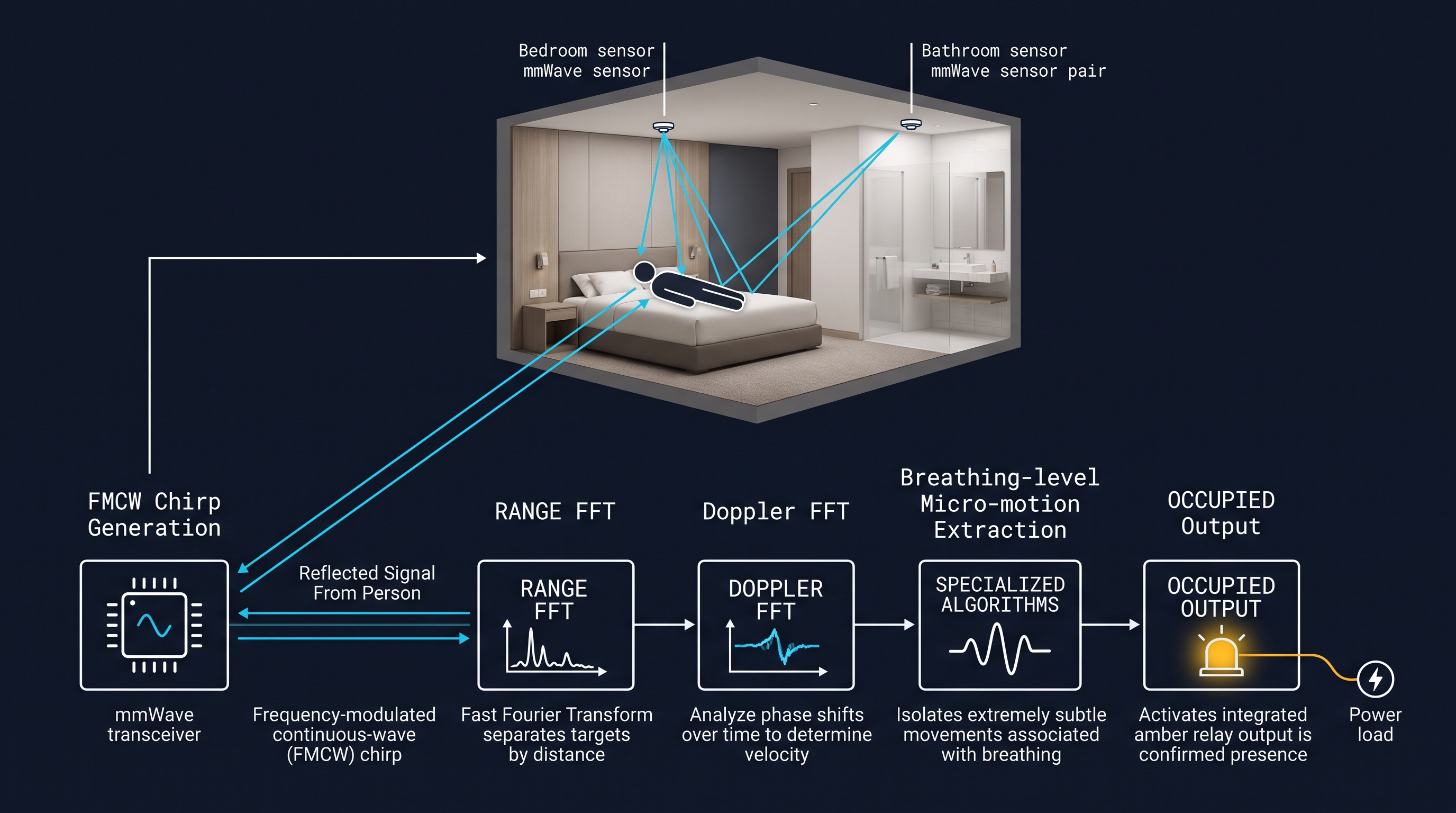
Hotels and vacation rentals still use manual room vacant signs — a plastic tag or a bolt the guest operates by hand. The result is a room vacant sign that does not match reality: the tag sits on "vacant" while a guest is asleep inside, or on "occupied" long after they have left. A room vacant sign fixed by pulling live room status from an occupancy sensor and door sensor instead of from a manual tag solves this. A hotel occupancy sensor detects the guest; the room vacant sign displays that detection on the door. The sign becomes a reflection of true occupancy, not a manual guess. Modern room vacant signs employ e-ink display technology with dual-color capability (green for vacant, red for occupied) that provides visibility from up to 10 meters while consuming minimal power for 2-3 year battery operation. These systems integrate with Zigbee 3.0 networks operating at 2.4GHz frequency, supporting mesh topology with self-healing capabilities for continuous room status availability.
Why a sensor-driven room vacant sign beats a manual tag
A room vacant sign driven by an occupancy sensor shows vacant the moment the guest truly leaves — not after a manual tag is flipped. When the room is occupied and the door is closed, the room vacant sign stays dark (or shows occupied/DND), removing the stuck-tag problem entirely. A recessed door sensor confirms the door state, so the room vacant sign reads occupied-and-door-closed as engaged, and vacant-and-door-closed as ready-for-clean. This closed loop between occupancy sensor, door sensor, and room vacant sign is what manual tags can never provide. For a property operator, a room vacant sign linked to occupancy cuts the awkward knock-on-occupied-room moment and speeds housekeeping turnaround.
Room vacant sign comparison table
| Factor | Sensor-driven room vacant sign (e-ink) | Manual tag |
|---|---|---|
| Status source | Occupancy sensor + door sensor | Manual guest action |
| Power | Battery-backed e-ink | None |
| Wiring | None (Zigbee/WiFi) | None |
| Accuracy | True occupancy | Guest-dependent |
A room vacant sign using battery-backed e-ink stays readable without backlight, fitting retrofit doors with no new wiring. The sign shares the Zigbee mesh or WiFi network of the occupancy sensor, so every door on a floor reports to one system. For new builds, the room vacant sign can use PoE for always-on displays; for retrofits, e-ink with battery power is the lower-friction path.
Room vacant sign use cases
A room vacant sign shows occupied, vacant, or DND based on the occupancy sensor and door sensor signal. Housekeeping sees the real room status on the door and on the dashboard, so they skip occupied rooms and prioritize vacated ones. A room vacant sign paired with a doorbell can show the guest name and a welcome message on an e-ink panel. The doorbell triggers a chime and a staff notification, while the sign reflects occupancy — no separate manual action required. The room vacant sign feeds the same building network as the occupancy sensors, so the housekeeping dashboard shows a single room-status signal per door.
Installing a room vacant sign
The room vacant sign mounts on the door or door frame with adhesive or screws, linking to the occupancy sensor network in minutes. The doorbell sits at standard height and pairs to the same building network as the occupancy sensors. A single floor of room vacant sign and doorbell units joins the existing Zigbee mesh or WiFi, reporting room status to the housekeeping dashboard without new gateway infrastructure.
From pilot to rollout
- Spec review: confirm door thickness, existing lock type, and whether e-ink or LCD signage fits the brand standard.
- Sampling: 5-10 room vacant sign and sensor units for on-site testing against the occupancy signal.
- Pilot: one floor (20-40 rooms) for 2-4 weeks — confirm room status accuracy and battery life.
- Rollout: mass production, FOB Shenzhen, on-site commissioning with the occupancy system.
- Support: OEM branding, firmware customization, after-sales warranty.
Certifications
CE, FCC, RoHS, and ISO 9001 certified for direct import into EU and US markets. Every room vacant sign and sensor unit ships with compliance documentation.
Not sure which sensor fits your project?
Talk to our mmWave application engineers for a free consultation.
Find the right presence sensor for your hotel project
Compare the 3 protocols, check hotel-specific case studies, and download the installation guide
Related solutions
3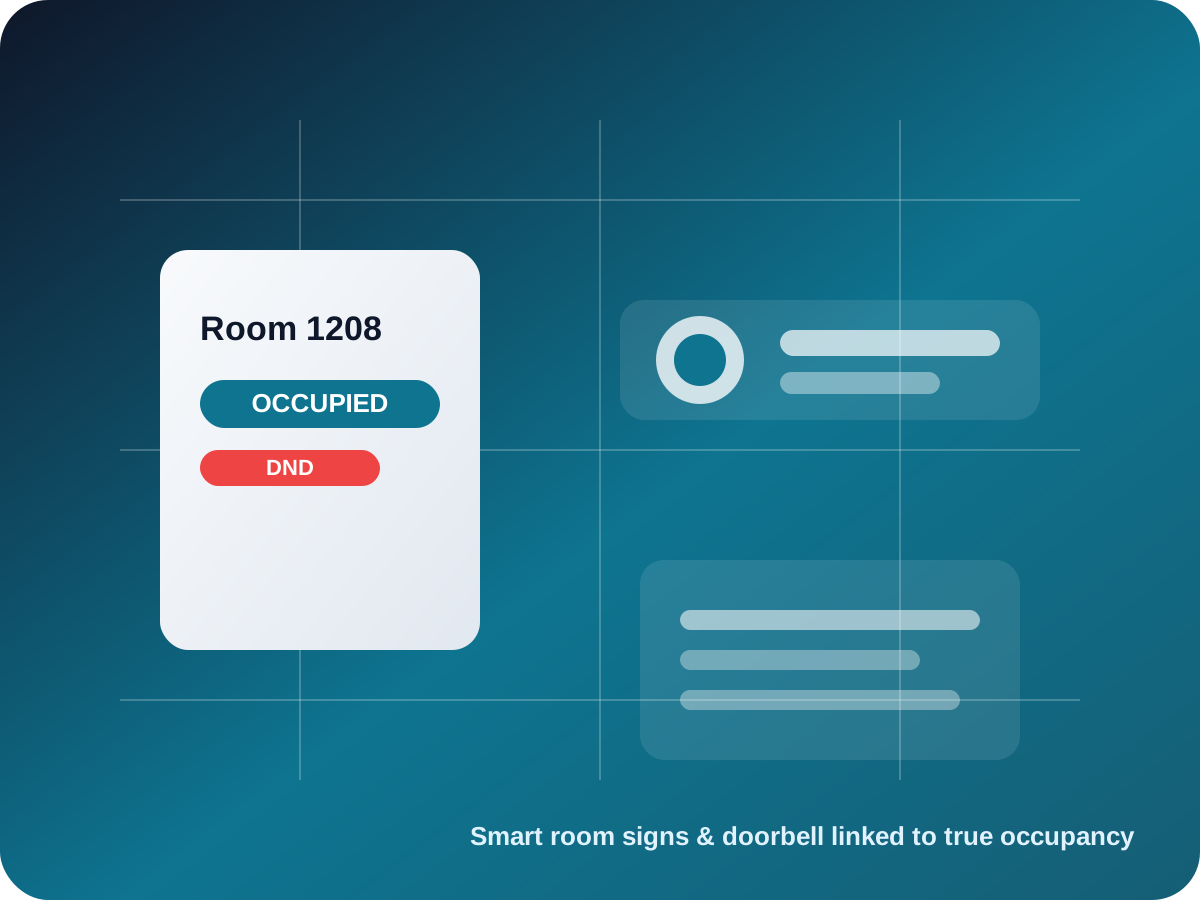
Hotel Energy Management — Occupancy Sensor HVAC & Lighting Control
Hotel energy management that uses an occupancy sensor to drive HVAC and lighting setback the moment a guest leaves. Our energy management system for hotels cuts room energy cost 20-40% with true occupancy detection.
It supports the same product context: hotel-room-occupancy-sensor.
Hotel Housekeeping Electronic DND System — Room Status Indicator
A hotel housekeeping electronic DND system links mmWave occupancy and a door sensor to show live room status. Our hotel do not disturb system replaces physical tags with true occupancy-driven room status signs.
It supports the same product context: hotel-room-occupancy-sensor, smart-room-signs-doorbell.
Hotel Room Occupancy System — Intelligent Room Occupancy Management
A hotel room occupancy system that turns mmWave radar presence into live room status, housekeeping signals, and HVAC energy saving. Our intelligent room occupancy system manages guest rooms from one mmWave sensor mesh.
It supports the same product context: hotel-room-occupancy-sensor.
Related blog posts
3
Hotel Energy Savings vs Consumption Analysis
Compare hotel energy consumption patterns with achievable savings through occupancy-based automation and smart HVAC control systems for hotels.
It supports the same product context: hotel-room-occupancy-sensor.
Hotel Guest Experience Optimization Guide
Optimize hotel guest experience with occupancy sensors through automated comfort control, seamless service delivery, and personalized room environments.
It supports the same product context: hotel-room-occupancy-sensor.
Hotel Occupancy Sensor ROI Calculator Guide
Calculate hotel occupancy sensor ROI including energy savings, implementation costs, payback periods, and total cost of ownership analysis for hotels.
It supports the same product context: hotel-room-occupancy-sensor.
Specify your hotel project with our engineers
Send your room count, ceiling type, and protocol preference. We will return a sample plan and quote within 24 business hours.
- Move from general guidance into a product or application discussion.
- Use RFQ when pricing, drawings, MOQ, or launch timing needs structure.
- Keep a direct contact path visible for fast clarifications and handoff.